Match each hospitality zone to a useful message
A lobby, restaurant entrance and meeting area have different information needs. A lobby display might introduce facilities, while a restaurant entrance might present opening information and selected dishes. A buyer should define those roles before deciding how many screens to purchase. Showing the same promotional loop everywhere can miss the specific question a guest is trying to answer at each location.
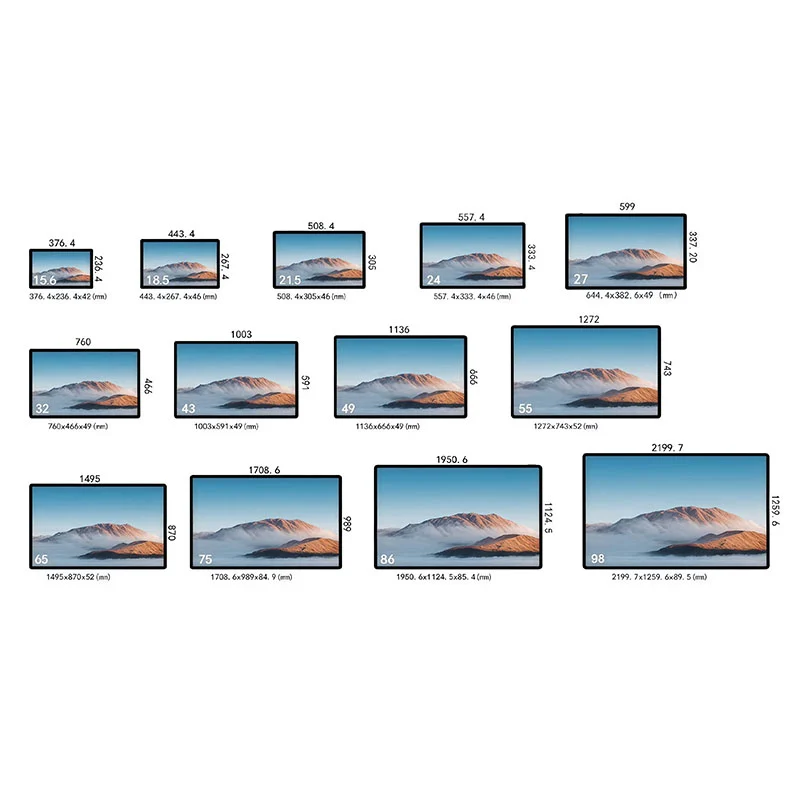
Map the proposed screen positions on a floor plan and note whether people pass quickly or pause nearby. Prepare content for those conditions rather than assuming a single template works throughout the building. The 32-inch format can be evaluated for a more prominent information point, but its suitability still depends on distance, lighting and content density. Compare the commercial signage range with the floor plan and real message examples. Choose a format that serves the reading task and fits the installation space.
Create a consistent visual language across locations
Hospitality information should be easy to recognize even when the subject changes. Decide how headings, service names, images and calls to action will appear across screens. Use a restrained set of layouts so staff can update a message without redesigning the whole presentation. This is a content-planning recommendation; it does not claim that a particular template library is included with the product.
Test multilingual content if your operation requires it. Longer translations may need a different layout rather than a smaller font. Ask the responsible team to verify prices, opening information and translations before publication. For promotional photography, select crops that fit the final orientation and leave room for readable text. A visually rich screen should still communicate its main point when someone glances at it briefly. Avoid making essential information available only at one moment in a long slideshow.
Confirm the quoted panel and indoor operating context
The product page lists a 16:9 panel with 1920 × 1080 resolution, a 1200:1 contrast ratio and a 178-degree viewing-angle specification. These describe the published configuration and should be confirmed in the quotation. They are not a substitute for checking the installed appearance of guest information, menu images and any small text your project needs.
This is presented as an indoor display. Do not treat indoor commercial signage as a weatherproof or direct-sunlight product without separate evidence for the selected configuration. Tell the supplier about nearby windows, strong lighting and the intended operating schedule. Ask for the panel brightness, thermal requirements and permitted installation conditions relevant to your site. No fixed brightness, ingress-protection rating or continuous-operation rating is assigned here where the source does not establish it. A location review helps identify the specifications that actually need confirmation.
Plan the mounting position around guest movement
A prominent display can still be poorly placed if a door, pillar or queue blocks the message. Review the proposed position from the guest's approach, including the view while standing at reception or waiting for a table. Decide whether portrait or landscape content makes better use of the available wall. Both orientations are listed in the product features, but mounting hardware and software settings must match the choice.
Request the enclosure drawing, weight, mounting pattern and connector positions for the offered unit. Have the responsible installer assess the wall and fixing method. Keep the screen clear of circulation routes and provide appropriate service access behind or beside it. If a decorative surround is planned, obtain installation requirements before the joinery is made. Do not assume that an enclosure can be fully recessed simply because the front view appears slim in a product image.
Separate content management from hotel-system integration
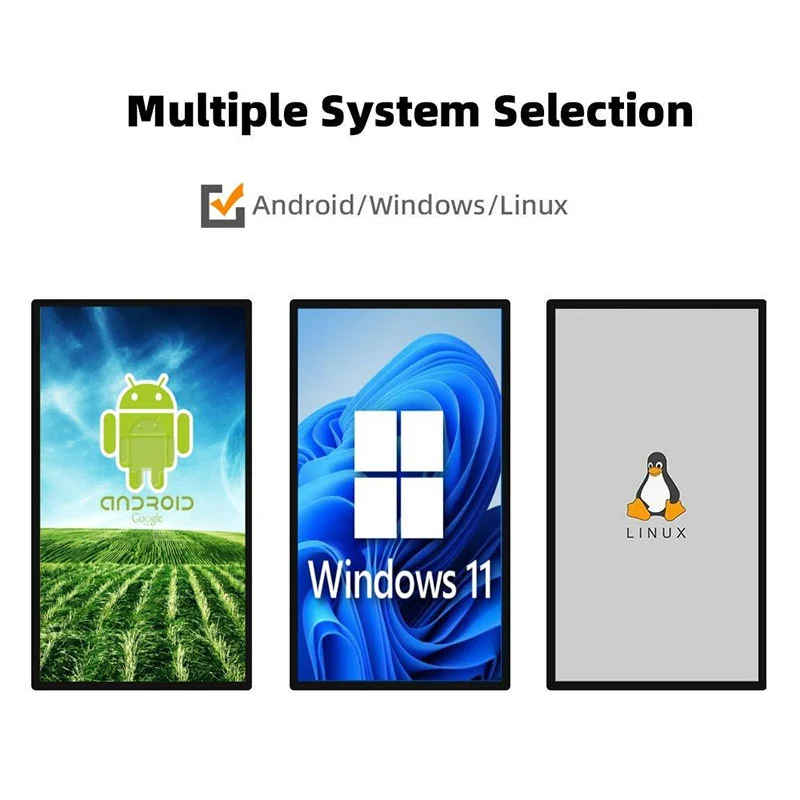
The display is described with Android and built-in CMS software, and the source also mentions using buyer-provided software. Ordinary image or video publishing is a different requirement from connecting to a booking, meeting-room or restaurant-management system. If your project needs live data, name the source system and describe exactly which information should appear and how it should be updated.
Ask the supplier and your software provider to confirm the integration approach. The Android platform name and availability of an SDK do not prove that a particular connector already exists. Request the actual operating-system version, hardware configuration and supported development information. Where guest or business data is involved, have your own IT team review access and display rules. Keep required integration work, application licenses and ongoing service responsibilities visible in the commercial scope instead of hiding them inside a general CMS description.
Agree the CMS account and publication process
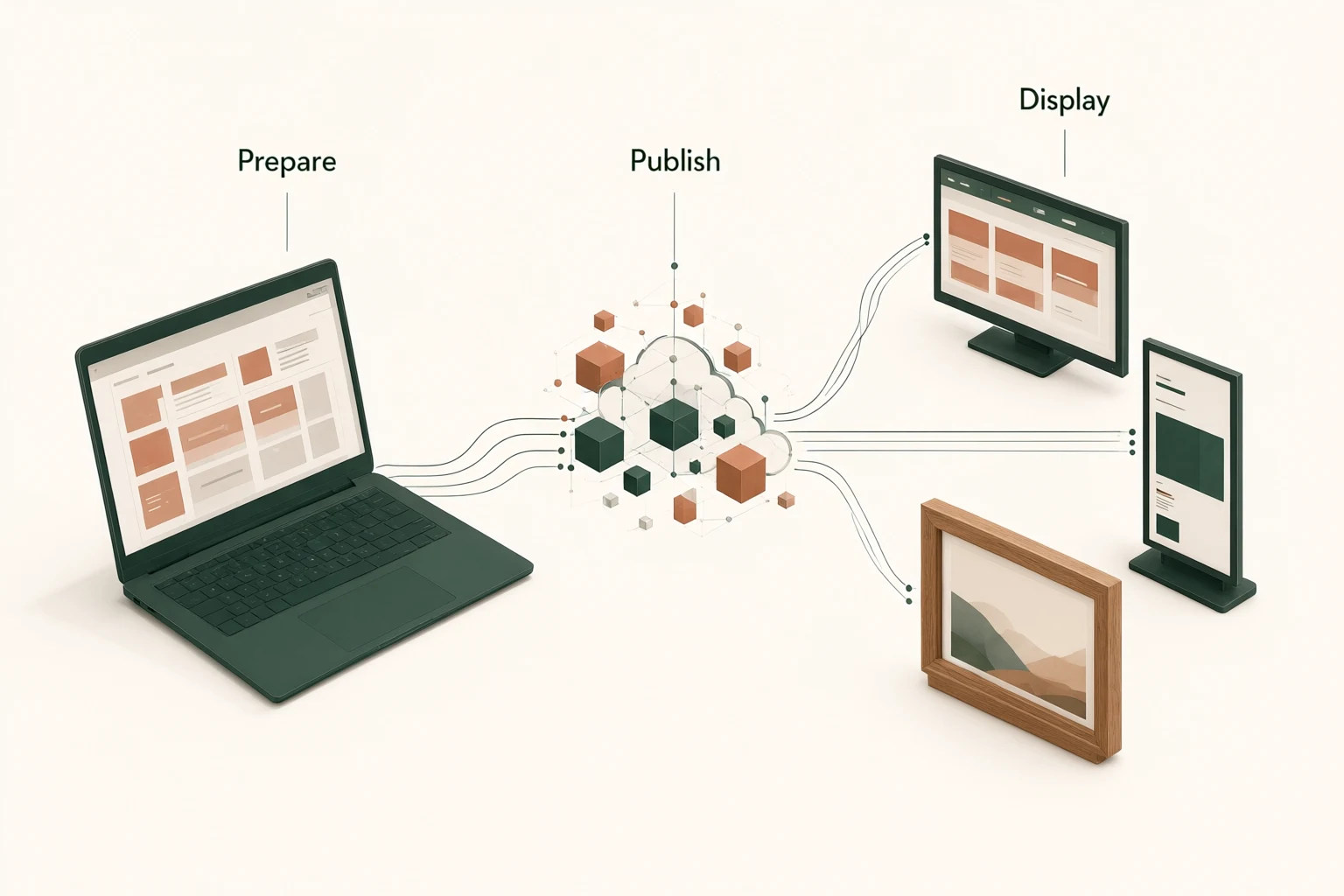
The product page lists free CMS and SDK provision and support for kiosk mode. Request a demonstration of the software that will actually be supplied. Start with the tasks your staff perform: replacing a promotion, updating opening information and publishing a new image to the correct location. Ask how devices are identified and what information an operator can see about successful publication.
If your business needs scheduling, content approval or different permissions for different departments, state those requirements and verify them. Do not assume those capabilities from the word CMS alone. Ask whether the proposed setup uses local or hosted services, who controls administrator access and which charges may recur. For kiosk mode, define the expected startup and application behavior. A clear operating procedure and confirmed software scope help reception, restaurant and marketing teams avoid conflicting updates after the installation is handed over.
Handle sound and connected media deliberately
The published features include HDMI, TF, USB and DC connections, audio output and built-in speakers. Ask for the port roles and supported media specifications on the final configuration. If an external source is planned, describe the complete signal path and confirm compatibility rather than relying on the presence of a connector name in a list.
In a lobby or dining space, silent playback may suit the environment better than repeating audio. If sound is needed, test it with the actual program and surrounding activity, and agree who controls the volume. Keep any external audio equipment in the quotation where it is required. For media stored locally, ask about file preparation and replacement procedures. For remotely managed content, clarify the network requirements and recovery behavior. The aim is to choose a workable daily process, not to use every connection simply because it is available.
Use acceptance checks that reflect daily hospitality work
Evaluate the sample with the content and location that matter to your business. Check that guest-facing text remains readable, images are not cropped unexpectedly and the approved orientation is retained after a restart. Verify that the supplied accessories match the agreed list and that the installed screen can be serviced without damaging surrounding finishes. Record the configuration and settings that produce the accepted result.
Then ask a future operator to perform a routine update using the proposed instructions. Observe the steps, confirm that the intended display changes and identify any administrator intervention required. Test recovery from a controlled interruption if that behavior matters to the project. These are suggested buyer acceptance checks, not a statement of Alihh's factory procedure. Agree how faults or configuration differences will be documented and resolved before placing a larger order for multiple hotel or restaurant locations.
Keep time-sensitive information current
Hotel and restaurant messages often contain information that can become stale: an event location, a temporary service arrangement or a seasonal offer. Assign an owner and an expiry review to those items in your internal content register. If the supplied software supports scheduling that meets your needs, confirm its behavior; otherwise, define a manual removal process that staff can follow reliably.
Separate evergreen property information from temporary messages so an urgent change does not require editing every file. Keep an approved fallback presentation available within your chosen workflow, and ask how operators can restore it. For public-facing displays, review whether any guest names or other sensitive information should appear at all. Those publication decisions belong to your organization and should be settled before connecting live business information to the screen.
Build the enquiry around the complete deployment
Send the screen quantity, floor-plan positions, orientation preferences, sample content and delivery destination. Explain whether the display is for advertising, service information or a software-driven application. Name any external systems, network restrictions and required accessories. For branded projects, describe the requested appearance and packaging changes so Alihh can assess them within its stated OEM and ODM offering.
Ask for an itemized quotation covering hardware configuration, mounts, power supplies, cables, software scope and shipment terms. Confirm the applicable warranty terms; the published policy describes two years of warranty and lifetime technical maintenance, not lifetime free replacement. Keep installation work and ongoing content production separate if they are not part of the supply. You can request a hospitality signage configuration with the brief. A clearly defined package makes it easier to compare proposals and hand the final system to the people who will operate it.
Frequently asked questions
Can it show hotel information and restaurant promotions?
The display is listed for indoor commercial settings including hotels and restaurants. Prepare the intended content and confirm the playback workflow. If information must come automatically from another business system, treat that as a separate integration requirement and verify the proposed solution.
Is this an outdoor advertising display?
The product features specify indoor use. This page does not claim weather resistance or direct-sunlight performance. Describe the actual location to the supplier and request the appropriate configuration if the installation faces environmental conditions beyond an ordinary indoor setting.
Can different departments update their own content?
That depends on the CMS configuration and permissions available. The source establishes CMS support but does not define a department-level approval system. Describe the roles you need and request a demonstration of account access and publishing behavior before approving the software package.
What makes a quotation ready for comparison?
It should identify the actual display configuration, mounting hardware, accessories, software scope and shipment terms. Include any integration work and recurring charges separately. Confirm warranty handling and the configuration record for repeat orders so the comparison reflects equivalent deliverables, not only hardware prices.